As of 2026, a new way to craft name tags has been added, along with a visual update for baby mobs. In this post, we’ll take a look at both of these changes.
Table of Contents
- Name Tag Crafting Recipe
- Chest Loot Locations & Villagers
- How to Use
- Baby Mob Visual Update
Name Tag Crafting Recipe
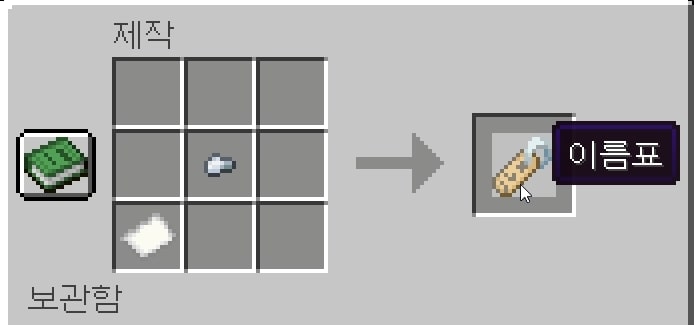
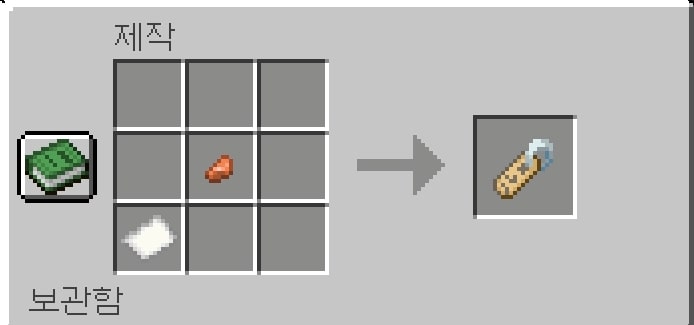
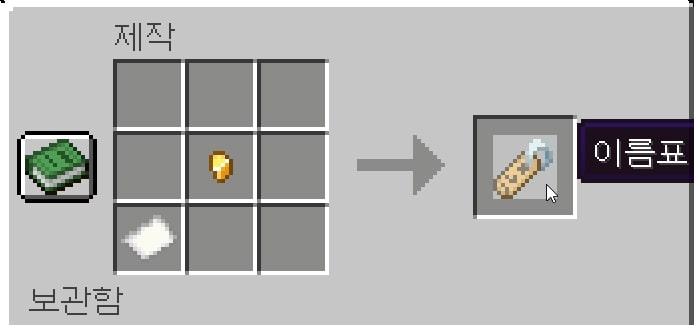
Up until version 1.21.11, name tags could only be obtained through farming. Starting from the 26.1 snapshot, a crafting recipe has been added. You can now craft a name tag using 1 metal nugget of any type and 1 piece of paper.
Chest Loot Locations & Villagers
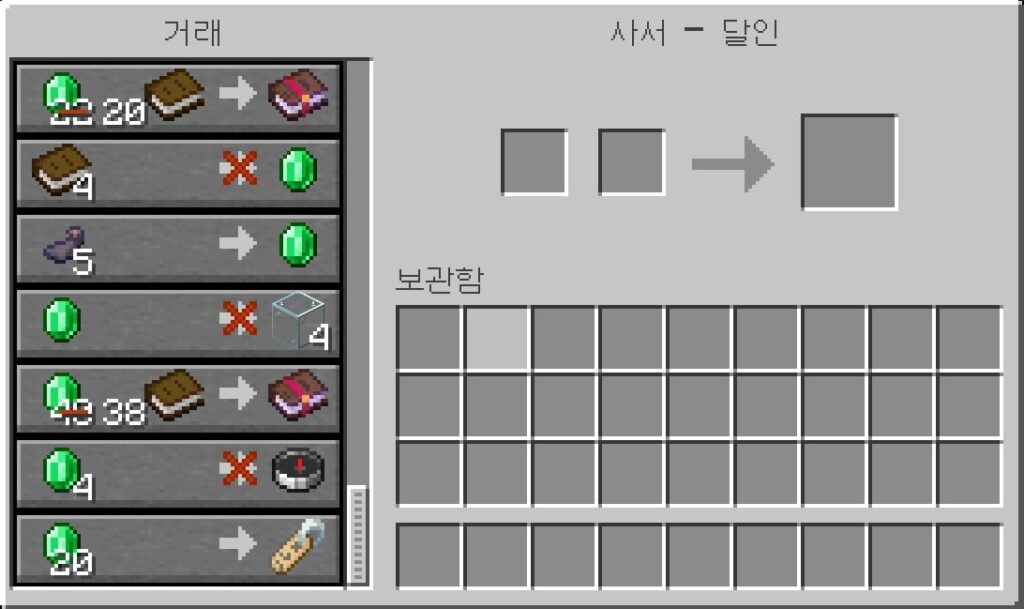
If you prefer to obtain name tags from earlier versions or through natural generation, you can find them by looting chests in Woodland Mansions, Ancient Cities, Mineshafts, and Monster Rooms. Alternatively, you can trade with a Librarian villager by leveling them up to Master level (Level 5), where a name tag can be purchased for 20 emeralds.
If you’d like to learn how to find a Woodland Mansion, please use the link below.
How to Use
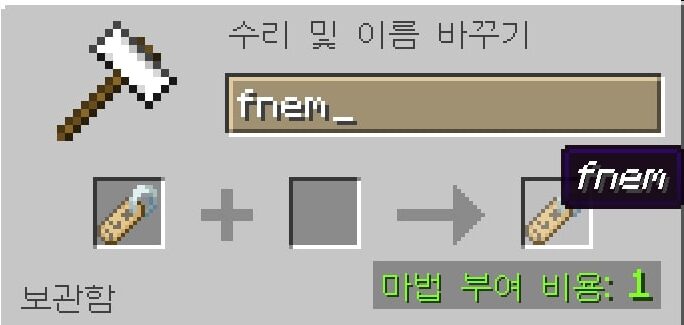
To use a name tag, you will first need an anvil. Place the name tag on the anvil and enter the desired name, then apply it. After that, right-click a mob or animal to assign the name, which will prevent it from despawning.
Baby Mob Visual Update
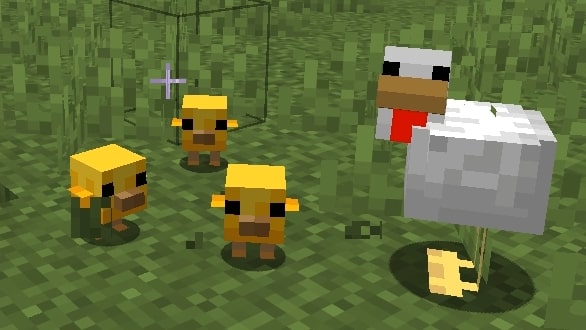
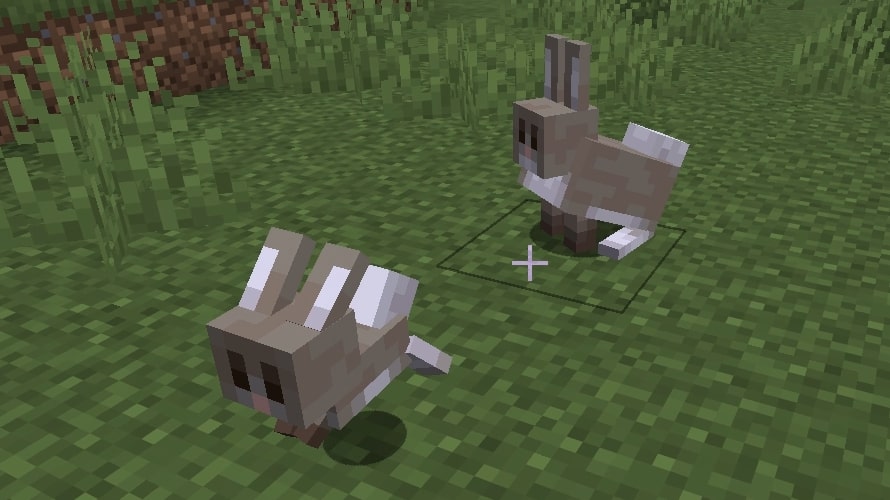
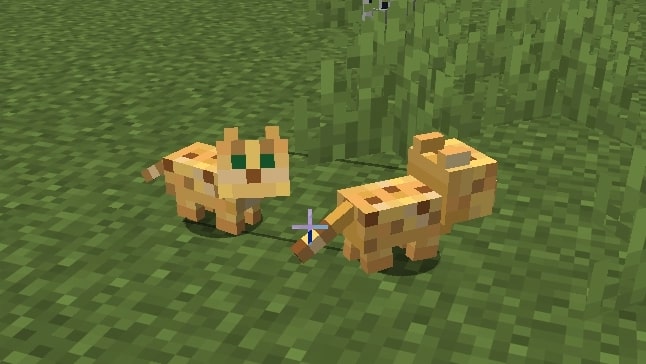
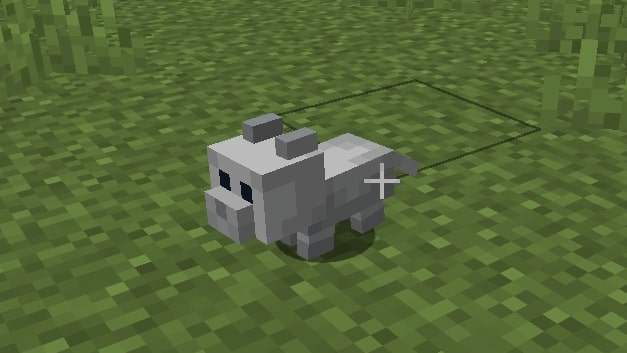
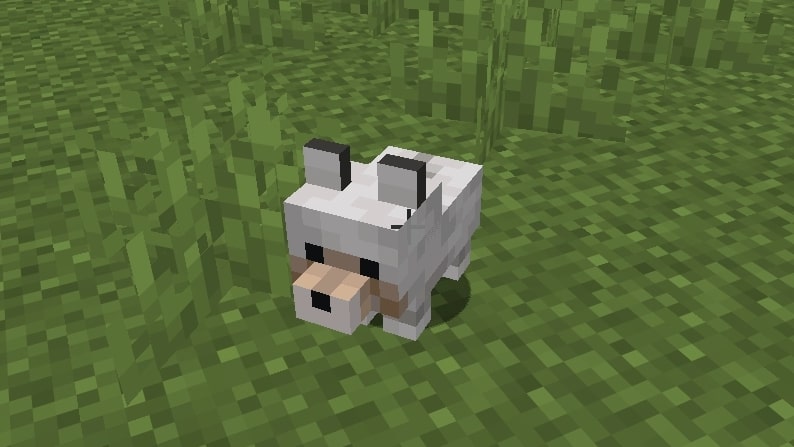
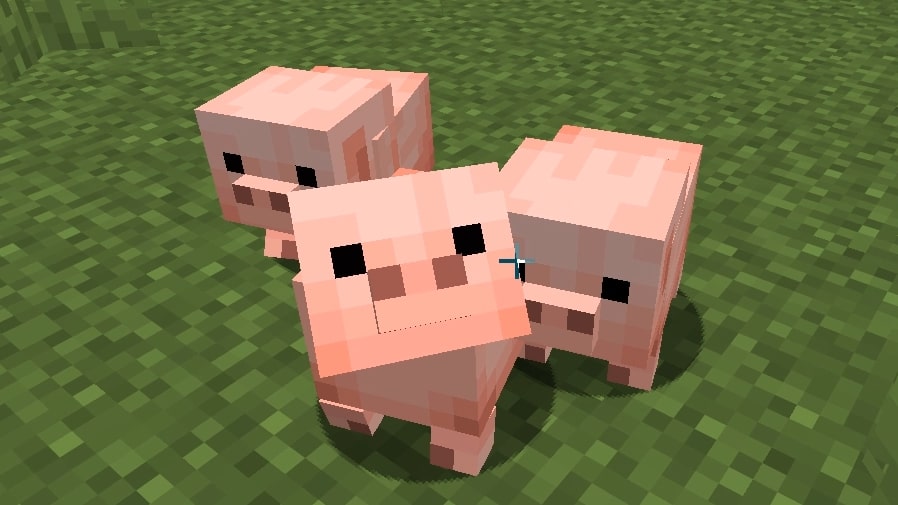
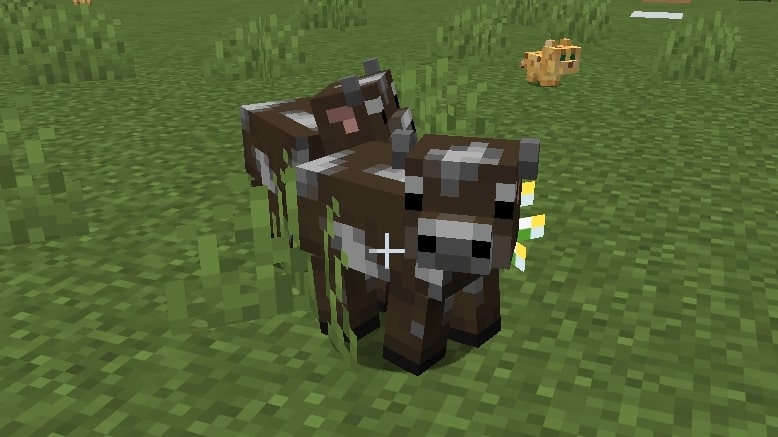
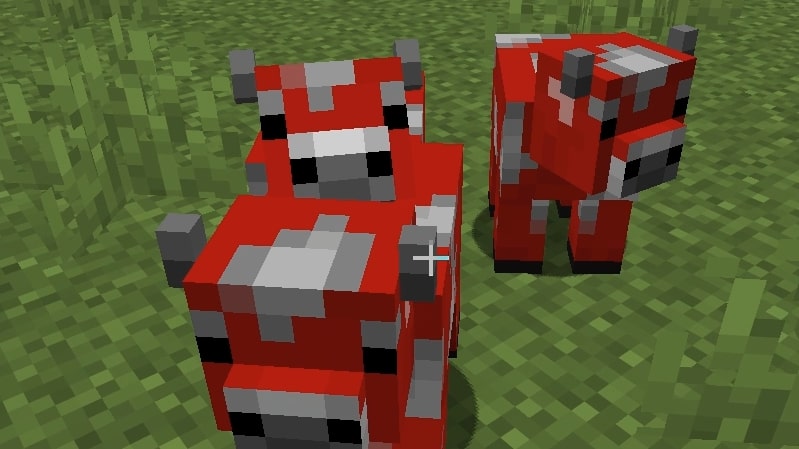
In addition, the current snapshot version includes an ongoing update that changes the appearance of baby animals. Previously, baby animals were simply smaller versions of their adult counterparts. However, starting with the Happy Ghast, this approach is shifting toward giving baby mobs distinct visual differences from their adult forms.
So far, the following mobs have received visual updates: chickens, rabbits, cats, ocelots, wolves, pigs, cows, and mooshrooms.
If you’re looking for more Minecraft-related information, please use the link below.